


You’re probably losing leads through quiet friction: vague headlines, weak CTAs, slow load times, and mobile forms that don’t submit. In the UK, most local searches happen on phones, so if your site takes more than a couple of seconds, intent drops fast. Tighten your message, place CTAs where thumbs and eyes go, and back claims with reviews and badges—then watch what changes when you fix the next leak…
Key Takeaways
- Use GA4 and Search Console to find high-traffic pages with low leads, then fix intent mismatches and user drop-offs.
- Improve speed and Core Web Vitals, especially on mobile 4G, to reduce bounces and increase form starts.
- Rewrite above-the-fold messaging to state who you help, the outcome, timeframe, and remove risk with a clear guarantee.
- Make CTAs obvious and low-friction: one primary button, specific labels, repeated after key sections, and tracked for performance.
- Add trust proof near CTAs: reviews, accreditations, quantified results, and testimonials with names and locations to reduce hesitation.
Find the Biggest Lead Leaks on Your Website

If your website isn’t consistently producing enquiries, you’ve likely got a few “lead leaks” quietly draining conversions. Start by checking GA4 and Search Console: which pages attract traffic but don’t drive calls, form fills, or quote requests? Segment by lead source (organic, Google Ads, referrals, local directories) to spot mismatches between intent and landing page.
Next, audit user engagement: high bounce, low scroll depth, and short sessions often signal slow load times, weak above-the-fold clarity, or distracting navigation. In the UK, mobile performance is non-negotiable—test Core Web Vitals and run a quick 4G speed check.
Finally, trace your funnel: broken forms, missing tracking, and unclear CTAs can hide real demand. Fix these first, then retest weekly.
Rewrite Your Small Business Website Message Fast
Although your design might look “fine,” vague copy kills conversions faster than almost anything else—so rewrite your message in 30 minutes by tightening three elements: who you help, what outcome you deliver, and why you’re the safest choice.
Start with your hero line: “We help [UK niche] get [measurable result] in [timeframe] without [common risk].”
Replace “quality service” with proof: response times, accreditation, warranties, and local coverage (e.g., within the M25).
Then add a single trust stack: Google rating, case-study metric, and a named guarantee.
Keep branding consistency by using the same terms for your services across pages, menus, and headings; mismatched language drops comprehension.
Improve visual appeal by pairing each claim with one relevant icon or image, not a gallery.
Put Your Calls to Action Where People Click
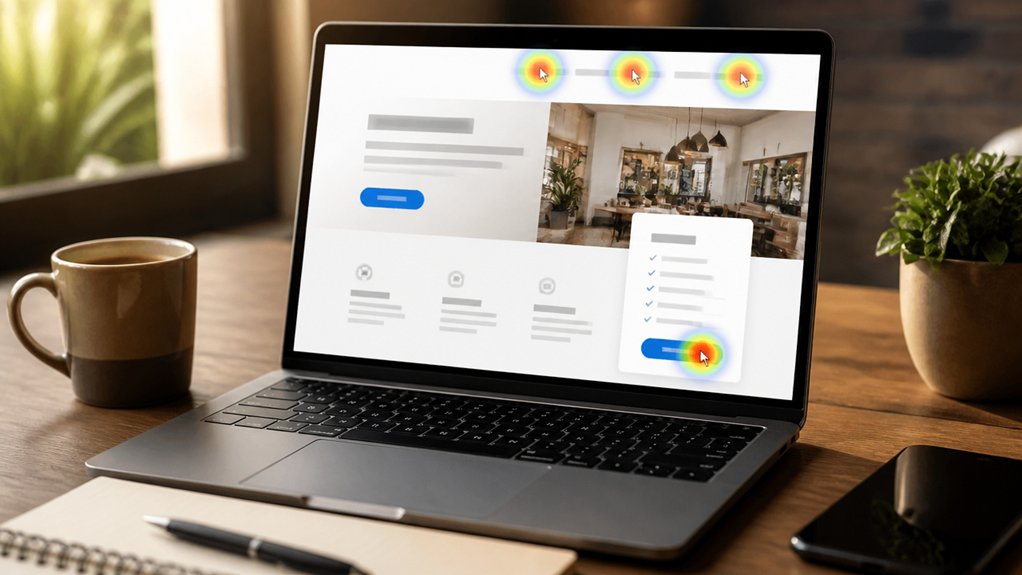
Because most visitors scan rather than read, your CTAs need to sit on the natural click path: above the fold, directly under your primary value line, and again beside the proof sections (reviews, accreditations, guarantees) where intent spikes.
Build a clear visual hierarchy so the next action wins the eye in under two seconds: one primary button, one secondary link, no clutter.
Use color psychology to separate “Book a call” from “Get a quote”: high-contrast, on-brand colours (often green or blue in UK markets) tested against your background, with ample white space.
Keep labels specific and low-friction: “Check availability” beats “Submit”.
Make them thumb-friendly on mobile, and repeat after each key section.
Track clicks in GA4, then iterate.
Add Trust Proof That Earns the Next Step
Strong CTAs get the click, but trust proof gets the commitment. If your site feels dated, visitors hesitate before they enquire, especially in competitive UK sectors like trades, clinics, and professional services.
Fix that by showing proof exactly where the decision happens: near your primary CTA, pricing, and key service claims.
Use Customer testimonials with full names, locations (e.g., “Leeds”), and outcomes, not vague praise. Add star ratings and pull short quotes above the fold, then link to longer reviews.
Support them with trust badges: FCA/ICO where relevant, Which? Trusted Traders, Checkatrade, Google Reviews, or secure payment marks.
Back claims with numbers—response times, years trading, or “1,200+ jobs completed.” You’ll reduce perceived risk and lift form-start rates.
Make Your Small Business Website Contact-Ready on Mobile

When most of your visitors arrive from Google on a phone, you either make contacting you effortless or you lose the enquiry to the next local competitor.
Start with Mobile responsiveness: your layout must load fast, text must be readable without pinching, and buttons must be thumb-friendly.
Put a sticky “Call” and “Get a quote” bar at the bottom, because UK users prefer one-tap actions over hunting through menus.
Use click-to-call, WhatsApp, and a short form with autofill, postcode lookup, and clear error messages to protect User experience.
Keep your phone number and service area visible above the fold, add opening hours, and show a map link for directions.
Track taps, form starts, and drop-offs in GA4 to fix friction weekly.
Conclusion
Now you’ve spotted your biggest lead leaks, tightened your message, and placed CTAs where users actually click. You’ve added trust proof—reviews, accreditations, and case results—and made mobile contact effortless, which matters when most UK traffic is mobile-first. Remember: “you can’t manage what you don’t measure.” Track key metrics like conversion rate, form completion, and click-to-call taps weekly, then iterate. Do this, and your outdated site becomes a dependable lead engine.