


You’ve probably heard the theory that a fresh design alone will win more Leeds buyers, but your analytics usually tell a different story. You’ll get better results when you rebuild around mobile-first journeys, faster Core Web Vitals, and search that helps users shortlist properties in seconds. Add richer listings, Leeds-specific guides, and tighter lead funnels, then track every call and form from each listing—because one overlooked bottleneck can be costing you…
Key Takeaways
- Audit GA4, Search Console, and heatmaps to fix listing and form drop-offs before committing to a full rebuild.
- Redesign mobile-first with thumb-friendly filters, sticky CTAs, scannable property cards, and one-tap call/WhatsApp for faster inquiries.
- Hit Core Web Vitals targets by compressing images, deferring scripts, using CDN/caching, and reducing plugin bloat for quicker page loads.
- Upgrade search and listings with Leeds-focused filters, fast maps, saved searches, 20–30 WebP images, floorplans, and short video tours.
- Improve lead capture and local SEO using short above-fold forms, schema markup, strong internal linking, and call/form tracking tied to listings and keywords.
Audit Your Site: Quick Wins vs Rebuild
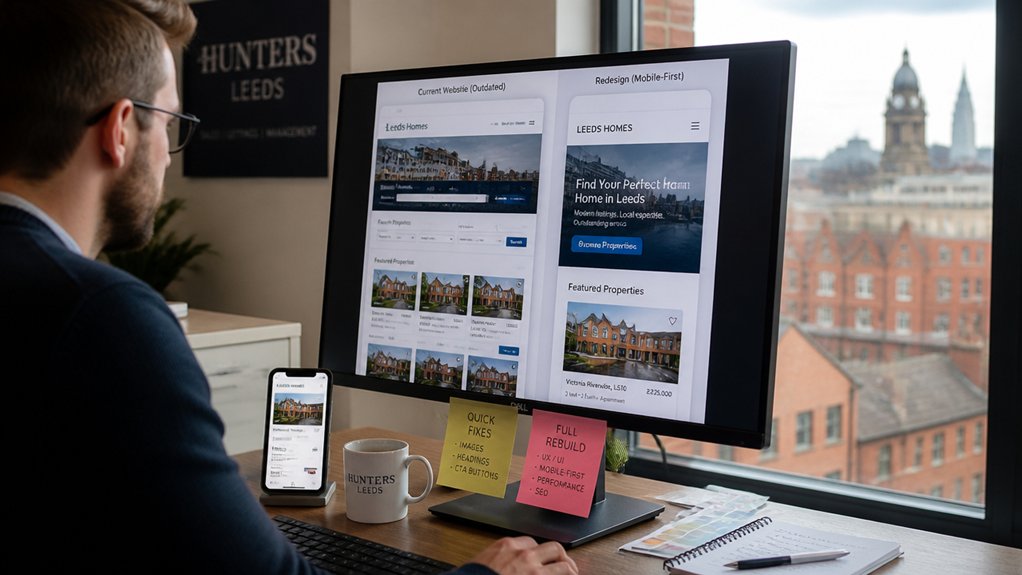
Before you redesign anything, run a focused audit to see whether your Leeds estate agent website needs quick performance and UX fixes or a full rebuild. Pull data from GA4, Search Console, and heatmaps to spot drop-offs on listings, valuation pages, and contact forms.
If Core Web Vitals, index coverage, and conversion paths are mostly sound, prioritise quick wins: compress images, streamline navigation, tighten internal linking, and refresh thin location pages for Leeds suburbs.
If you see widespread crawl errors, duplicated templates, slow server response, and a fragile CMS that blocks Content personalization, you’re looking at a rebuild.
Validate with user testing: measure task success, form completion, and inquiry-to-viewing rate. Better User engagement should track to leads, not clicks.
Make the Site Mobile-First for Leeds Buyers
Because most Leeds buyers now browse listings on their phones, you need to design your estate agent website mobile-first—then scale up—so the key journeys (search, map view, enquiry, and valuation) load fast, read cleanly, and convert without friction.
Prioritise thumb-friendly filters, sticky calls-to-action, and one-tap contact options for viewings. Keep property cards scannable: price, postcode, EPC, beds, and key features above the fold.
Use responsive map and list toggles so users can switch without losing their place. Reduce form fields and add autofill to lift completion rates and User engagement.
Maintain branding consistency with the same tone, colours, and iconography across mobile and desktop, so returning buyers recognise you instantly.
Test on common Leeds devices weekly.
Cut Load Time (Core Web Vitals Basics)
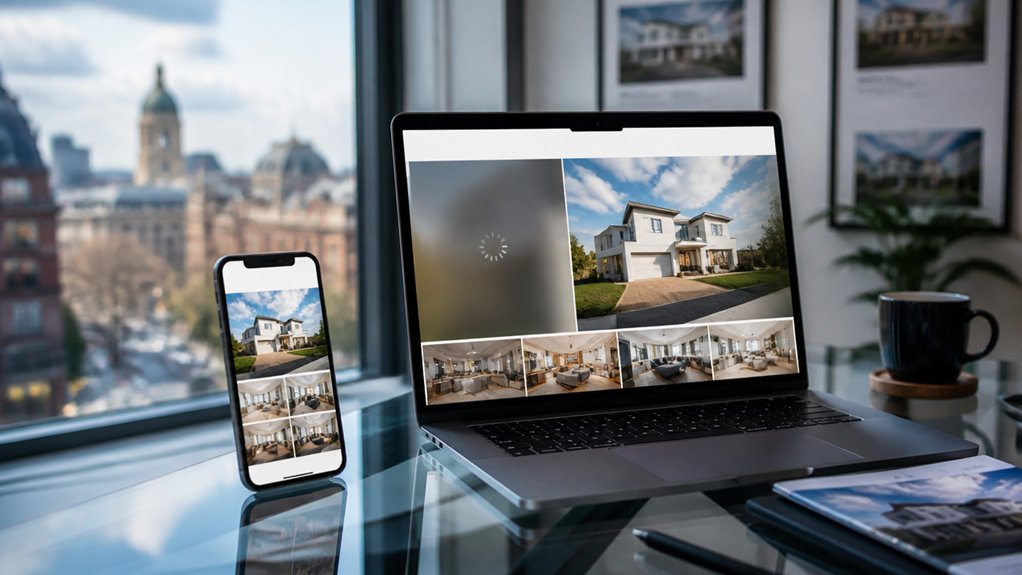
When your pages load fast, Leeds buyers stay longer, view more listings, and enquire more often—Google’s Core Web Essential metrics (LCP, INP, and CLS) give you the baseline metrics to prove it. Aim for LCP under 2.5s, INP under 200ms, and CLS under 0.1, then track improvements in Search Console and PageSpeed Insights weekly.
Start with Image optimization: serve WebP/AVIF, compress aggressively, set explicit width/height, and lazy-load below-the-fold media so your hero content paints quickly.
Improve server response by enabling full-page caching, using a CDN, upgrading hosting, and trimming slow plugins and third-party scripts that block rendering.
Minify and defer non-critical CSS/JS, preload key fonts, and reduce DOM bloat.
Faster pages lift rankings and conversions.
Improve Property Search, Filters, and Map View
Although your listings matter, buyers judge your agency site by how quickly they can find the right home, so upgrade your property search with fast autocomplete, typo-tolerant queries, and filters that match Leeds intent—price bands, bedrooms, EPC rating, parking, garden, “near station,” and popular areas like Chapel Allerton, Headingley, and Roundhay.
Add Advanced filtering that supports multiple selections, saved searches, and “new since last visit” flags to lift return sessions.
Use structured data for location and price to strengthen local SEO and improve internal search relevance.
Pair results with an Interactive map that loads fast, clusters pins, and lets users draw a boundary or set commute-time radii.
Track filter usage, zero-result queries, and map interactions, then tune defaults to cut exits and boost enquiries.
Upgrade Listings: Photos, Floorplans, Video Tours
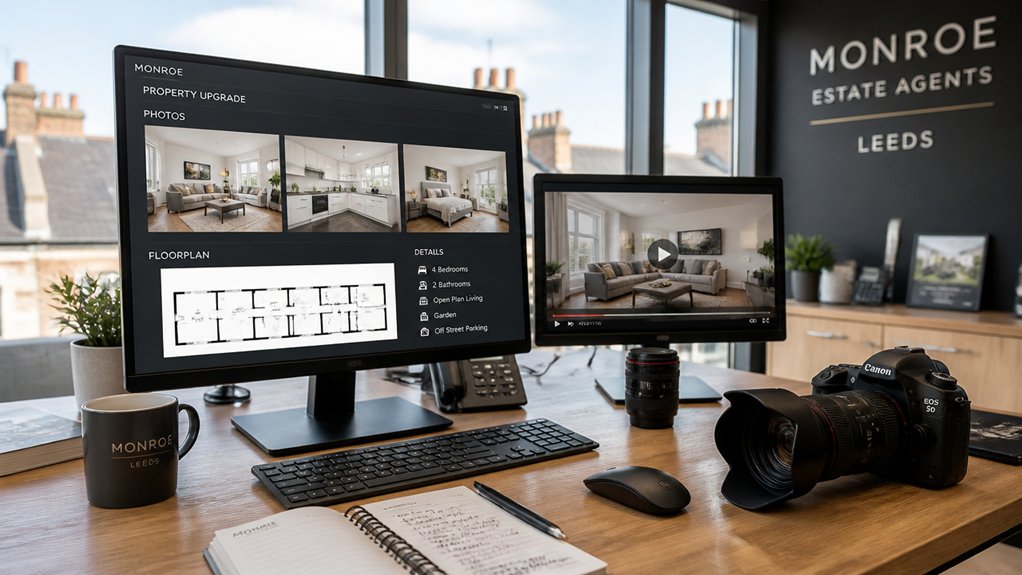
If your Leeds estate agent website wants more viewing requests, your listings need to sell the experience fast—buyers scan photos and floorplans in seconds and bounce if media loads slowly or looks dated.
Use 20–30 pro, wide-angle images per listing, compress to WebP, and add alt text like “2-bed flat in Chapel Allerton kitchen” for SEO.
Pair every listing with a measured, branded floorplan; listings with floorplans typically earn more clicks and longer time-on-page.
Add a 45–90 second video tour and a silent autoplay preview; host via fast CDN to keep LCP low.
Shoot in consistent light, apply Property staging checklists, and offer Virtual staging for empty rooms, but label it clearly to protect trust.
Finish with clear CTAs: “Book a viewing” and “Request valuation.”
Add Leeds Area Guides That Answer Buyer Questions
Add Leeds area guides that answer what buyers search first: what it’s like to live there, how long the commute takes, and what schools and amenities are nearby.
You can publish neighbourhood lifestyle snapshots with key stats, plus clear transport details (stations, bus routes, typical journey times) that reduce uncertainty and increase enquiries.
You should also summarise schooling and local essentials—Ofsted ratings, catchment notes, parks, shops, and GPs—so your Leeds property pages rank for high-intent “best areas in Leeds” queries.
Neighborhood Lifestyle Snapshots
When you’re choosing where to buy in Leeds, a street-by-street “lifestyle snapshot” answers the questions your buyers actually search for—commute times to the city centre, school catchments, local crime stats, parking realities, broadband speeds, green space access, and average sold prices.
Build each guide around scannable data blocks: Ofsted ratings, burglary rates, permit zones, average download speeds, walk time to parks, and latest Land Registry sold-price bands.
Add “who lives here” cues to reflect neighborhood diversity without stereotypes, using census age mix and household types.
Map lifestyle amenities buyers filter for: cafés, gyms, supermarkets, dog-walk routes, and weekend markets.
Include monthly noise patterns, pet-friendliness, and typical service charges.
You’ll rank for “Leeds area guide” searches and convert faster.
Commute And Transport Details
Although Leeds looks compact on a map, buyers decide fast based on commute friction—so your area guides should spell out transport details in numbers they can trust: typical peak-time journey times to Leeds City Centre, key rail stations and their frequencies (Northern/TransPennine routes), park-and-ride options, nearest motorway links (M1/M62/A1(M)), bus corridor reliability, cycling routes, and realistic parking constraints (permit zones, resident bays, EV charging).
Add “door-to-door” examples: 18–25 mins by train from Horsforth, 10–15 mins from Morley, plus 5–12 mins to platforms. Call out Public transit gaps after 10pm and Sunday frequencies.
Map traffic congestion pinch points (Armley Gyratory, A65) and typical AM queue times. Include bike times on the Aire Valley Towpath, plus secure storage availability.
Mention airport access via A658 or rail-bus links.
Schooling And Amenities Overview
Commute times get buyers through the door, but schooling and day-to-day amenities often decide whether they stay—so your Leeds area guides should answer the questions people actually search: which schools serve this postcode, what the latest Ofsted ratings are, how far the walk is at school-run pace, and whether catchment pressure makes places competitive.
Build a clear “School district” snapshot for each neighbourhood: primary and secondary options, SEN provision, sixth-form routes, and admission trends. Add map-based distances (minutes on foot), term-time traffic notes, and links to Ofsted and performance tables.
Then list local amenities buyers compare fast: GP and dentist availability, supermarkets, parks, gyms, cafés, and childcare. Use simple filters (budget, school rating, walkability) so you help families shortlist in one visit.
Add Instant Valuation and Viewing Request Funnels
How quickly can a motivated Leeds buyer or seller act if your site makes them wait to call? Add an Instant valuation funnel and you’ll capture intent at peak urgency, not after it cools.
Put a short form above the fold: postcode, property type, beds, condition, email/phone, consent. Return a clear range plus a next step to book a follow-up call, and track completion rate to keep friction low.
For buyers, build a one-minute viewing request funnel on every listing: preferred dates, times, number of viewers, budget band, and whether they’re chain-free or mortgage-ready. Auto-confirm by email/SMS, route to your diary, and prioritise high-intent leads.
You’ll reduce inbound admin while increasing qualified appointments.
Strengthen Leeds SEO With Schema and Internal Links
Once your valuation and viewing funnels capture high-intent leads, you need Leeds buyers and sellers to actually find those pages in Google. Start with Schema implementation: add LocalBusiness, RealEstateAgent, and Review markup, then use FAQ and Breadcrumb schema on valuation and area pages. This increases eligibility for rich results, improves CTR, and clarifies relevance for searches like “estate agent Leeds” or “LS1 flat valuation”.
Keep NAP consistent with your Google Business Profile and embed your service areas.
Next, tighten Internal linking. Link every listing to its neighbourhood guide, school catchment content, and valuation page using descriptive anchors (“Leeds city centre valuation”). Add breadcrumb trails and “related listings” modules to distribute authority and reduce orphan pages.
Track Calls and Form Leads From Every Listing
Because your property listings attract the highest-intent traffic, you should track every call and form submission back to the exact listing, channel, and keyword that generated it. Use dynamic number insertion for click-to-call, UTM tagging for forms, and send events into GA4 and your CRM so you can see cost per lead by postcode, property type, and price band.
Set rules that auto-assign leads to negotiators, log response time, and flag missed calls. Then A/B test listing templates: headline, photo order, EPC placement, and “book a viewing” CTA.
Pair lead data with Customer feedback to pinpoint friction (slow pages, unclear fees, weak copy). Run Competitor analysis on Leeds SERPs to benchmark CTAs and FAQs, then replicate what converts—without copying. You’ll stop guessing and scale what wins.
Conclusion
You’ve modernised your Leeds estate agent site for how buyers actually behave: on mobile, fast, and with zero friction. Keep refining with Core Web Vitals, smarter search, richer listings, and lead funnels that capture intent in seconds. One stat worth acting on: 53% of mobile users leave a page if it takes over 3 seconds to load—so speed directly safeguards your enquiries. Track every call and form, test improvements, and let data drive your next uplift.